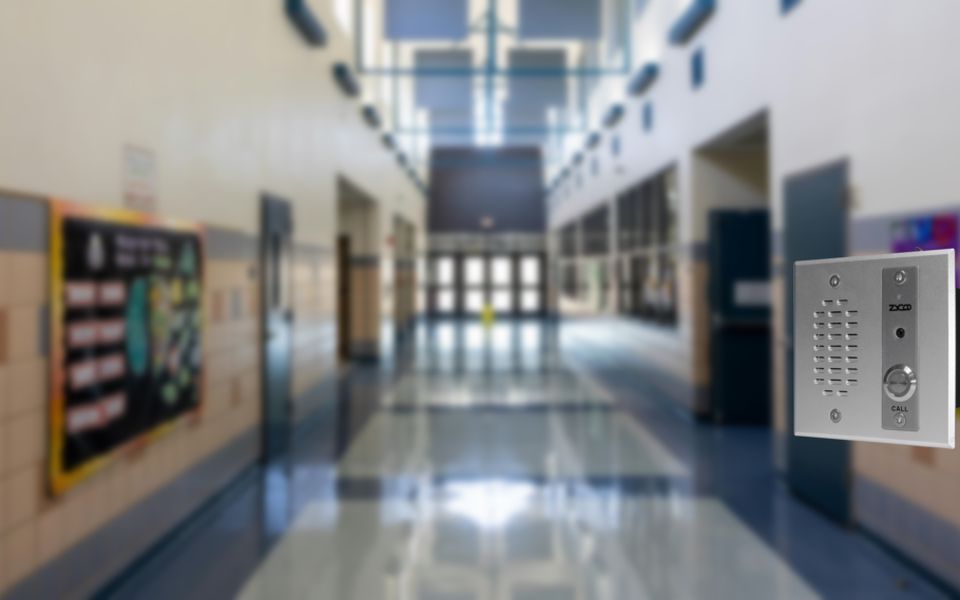
If your access control system already handles credentials but nobody can see or hear who's standing at the door, you're missing the part that actually matters at the moment of entry. Card readers and badge systems tell you who's authorized. They don't tell you who's actually there right now, and they can't let a receptionist or a security desk make a judgment call on a visitor, a delivery, or a locked-out employee who forgot their badge. That's the gap an IP intercom fills.
An IP intercom system adds a verification and release layer on top of it, so the people managing the building can see, hear, and decide before a door opens. If you're evaluating how an intercom access control system actually works together, or whether it's worth adding to a setup you already trust, this guide walks through the mechanism, the deployment scenarios, and where the boundary between the two systems sits.
What Intercom Access Control System Actually Means
Access control and intercom systems solve two different problems, and it helps to keep them separate before talking about how they connect.
Access control is the credential layer. It decides who's allowed in, based on a badge, a code, or a mobile credential, and it usually keeps a log of who came through and when. An intercom and access control system pairing adds something access control alone doesn't do well: real-time human verification. When someone without a credential shows up, a delivery driver, a visitor, or a contractor, the intercom lets an operator see or hear them, talk to them, and decide whether to let them in.
Put simply, access control answers "is this person authorized." An intercom answers "who is this, and should I let them in right now." Most commercial buildings need both, and the two typically sit side by side rather than as a single unified product. A card reader and mag lock handle routine badge holders. The intercom handles the exceptions, which in a lot of buildings is where most of the actual friction happens.
How Do IP Intercoms Integrate with Access Control Systems?
Mechanically, an IP intercom integrates with access control hardware through a relay output that connects to the same door strike or electric lock the access control system already controls. The intercom doesn't manage credentials. It gives an operator a way to trigger that release directly, either during a call or through a networked control signal, using the door hardware that's already installed.
There are a few distinct ways this happens in practice, and which one applies depends on whether you're triggering the release manually during a call, wiring directly into the door hardware, or connecting the intercom to a broader VMS or building management system.
DTMF-Triggered Relay Control
This is the most common path and the one most operators use day-to-day. A visitor presses the call button, the intercom places a SIP call to a receptionist, security desk, or mobile phone, and once the operator is satisfied, they press a digit on their keypad to release the door. The intercom picks up that DTMF tone during the live call and fires the relay.
The relay itself typically runs in one of two modes.
- Monostable is the more common setup for a door strike: the relay fires for a set duration and then resets on its own.
- Bistable holds the state until told to change, which suits something like a gate that should stay open until the call ends.
Which mode makes sense depends on the door hardware and how long it needs to stay unlocked.
ZYCOO's VI Series IP intercom ties this relay behavior to a configurable DTMF code, with reset options set to a timed delay, a reset when the call hangs up, or a reset only after the call has been answered and then ended. For a busy entry point, that flexibility matters more than it sounds like it would on paper.

Dry Contact Relay Output to Door Hardware
A dry contact relay output is essentially a switch. It doesn't carry power on its own; it just opens or closes a circuit when told to. In practice, installers wire the intercom's relay terminals alongside the same strike or lock circuit the access control panel already connects to, so both systems can trigger that same release point independently. When the intercom's relay closes, it completes the circuit the same way the access control panel's own output would, and the door releases.
VI Series units expose this dry contact as a 2-pin Phoenix connector, with the relay type set to Door Strike mode for unlock and lock.
ONVIF and API-Level Integration
For buildings where the intercom needs to talk to a video management system rather than just a phone line, ONVIF is the relevant path. IP video intercoms with ONVIF compatibility and relay control settings let a VMS platform see the intercom the same way it sees a camera and trigger a release from within that platform.
There's also an HTTP-based API for teams building their own integration logic. It supports relay control, call control, and event callbacks, so a building management system can trigger a release programmatically or get notified when a call comes in or a relay fires. This is the option that matters most if you're consolidating several disparate building systems onto one IP network rather than managing each one separately. It's worth noting the API doesn't use authentication or encryption by default, so it's meant for a controlled internal network rather than being exposed directly to the internet.
Any of these three paths works the same whether or not the intercom has a camera. However, voice can confirm someone is present, but it can't confirm who they are, and that gap is why video shows up at a lot of entrances and exits, especially for deliveries or visitors nobody at the desk recognizes on sight. Deploying a video intercom with the access control system adds a built-in camera on the same door release mechanism for video verification before door release.
The Boundary Between Intercom and Access Control
It's worth being direct about the boundary between these two systems. An IP intercom handles verification and release: audio, video, and the trigger that opens the door. It doesn't manage credentials, and it isn't built to replace the platform that does.
The intercom is meant to sit alongside a credential system that's already in place, or one being planned separately, not stand in for it. In a lot of buildings, the credential side is already solved, and the piece still missing is verification, a way to actually see and hear who's at the door before it opens, which is often still handled by an aging analog intercom or nothing at all.
Deployment Scenarios for Intercom Access Control System
Office and Building Entries
Office lobbies tend to be the most common use case. A reception or security desk verifies visitors remotely, whether that's a scheduled meeting, a job candidate, or someone who forgot their badge, and releases the door without anyone walking to the lobby. Failover call routing matters here too. ZYCOO's VI Series IP intercoms support up to five call destinations with automatic forwarding if the primary line is busy, unanswered, or offline, so a call during a shift change or a lunch break still reaches someone.
Parking Gates and Vehicle Entry
Parking gates work on similar logic but with different pressure. A resident or delivery vehicle pulls up, the driver presses the call button, and someone verifies and releases remotely rather than requiring a physical guard at every gate. This is one of the scenarios where the failover chain earns its keep, since a parking gate that goes unanswered creates a backup fast, and routing the call to a second or third destination keeps that from happening.
See ZYCOO's IP AUDIO SOLUTION FOR PARKING FACILITIES →
Retail Back Doors and Loading Areas
Retail back doors and loading areas usually involve delivery personnel who don't have a badge and shouldn't need one. Staff can verify who's there from wherever they're working, without leaving the sales floor to physically check.
Warehouse and Facility Dock Doors
Dock doors typically need to verify a delivery driver or carrier before releasing access, often without dedicated staff stationed there full time. An intercom with release control covers that gap directly, letting whoever's available, on the floor or at a desk, confirm the delivery and open the door without walking out to meet it.

Choosing the Right Fit for Your Access Control Setup
The decision usually comes down to what's already installed and what's missing.
If credential management is solid but there's no way to verify or release remotely at a given entry point, adding an intercom with relay control is a targeted fix rather than a system overhaul.
If the entry point needs someone to actually see a visitor before deciding, the video model is worth the difference. And if the building is already moving toward consolidating systems onto one IP network, the ONVIF and API integration paths are what make that consolidation possible rather than adding another standalone device.
ZYCOO's VI Series IP Intercoms, available in audio-only (VI-A05), video (VI-V05), and dual-button (VI-D05) configurations, is built for exactly this kind of integration, with IK10 vandal resistance and IP66 weatherproofing for exterior installations, PoE power for straightforward deployment, and the relay and API options covered above. Getting a clearer picture of what's already installed at a given entry point, and what a receptionist or security desk actually needs to be able to do from a call, is https://wetest.qq.com/n/console/default-chnckdhu1957001f3bgg/testlab-function/standard-compatible/test/usually the fastest way to figure out which configuration fits.
For full specs across the VI-A05, VI-D05, and VI-V05, visit the VI Series datasheet page.
FAQs
Q1. What's the difference between access control and intercom?
Access control manages credentials. It decides who's authorized to enter based on a badge, code, or mobile credential. An intercom adds real-time verification on top of that, letting someone see or hear whoever's at the door and decide whether to let them in, which matters most for anyone who doesn't have a credential to begin with.
Q2. Does adding an intercom replace my access control system?
No. The intercom adds a verification and release layer at the entry point. Credential management, permissions, and access logging stay with the existing access control system.
Q2. Can one intercom serve more than one entry point?
Each intercom is installed at a single physical location, but a single receptionist or security desk phone can serve as the call destination for multiple intercoms across a building, so the operator side scales even though each unit is fixed to one door.