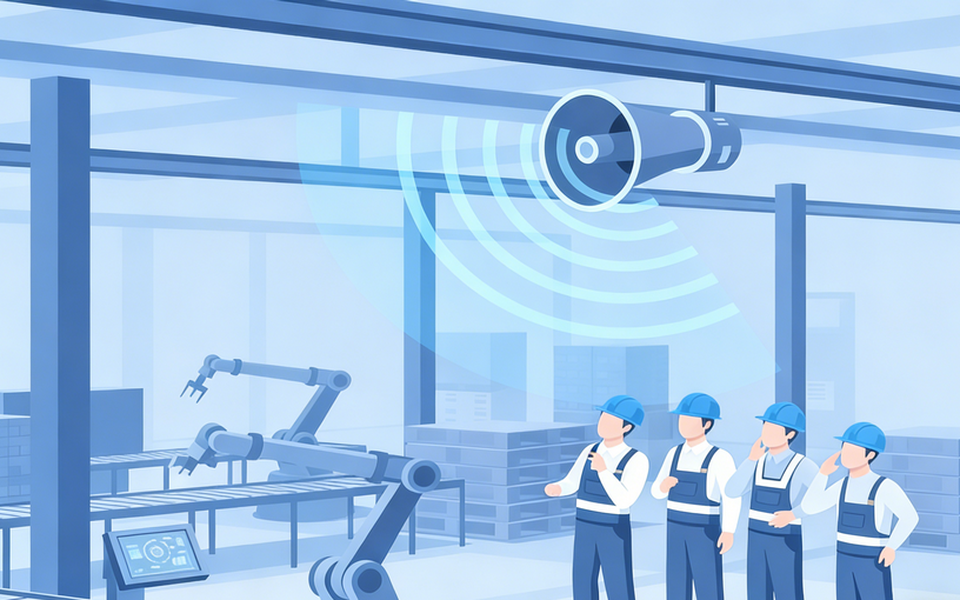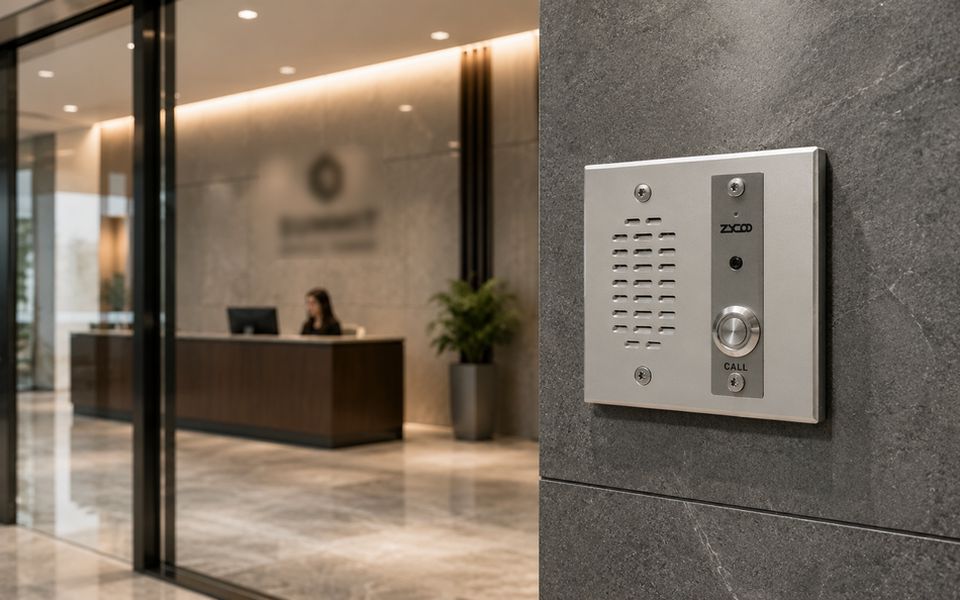
If you're running a SIP-based UC environment and want to add network intercom to the deployment, the integration is more straightforward than most people expect. A SIP network intercom registers on your existing PBX as a standard SIP endpoint. It follows the same call routing logic you've already configured for phones and softclients. There's no separate intercom controller to manage and no parallel infrastructure to build.
That said, getting there cleanly—choosing the right hardware for each location, handling failover correctly, and confirming compatibility with your specific PBX—is where the real questions begin. This post covers how SIP network intercom fits into a commercial UC environment, what hardware deployment looks like in practice, and which PBX platforms the integration has been validated on.
Why SIP Network Intercom Belongs in Your UC Environment
Most commercial buildings already have a working intercom layer. The problem is that it typically lives outside the UC environment—running on its own controller, using its own wiring standard, and managed through a vendor-specific interface that your IT team didn't configure and doesn't want to maintain separately.
When the intercom sits outside your UC platform, you lose the operational advantages that the platform was built to deliver. A visitor call at the lobby can't be routed to a mobile extension if reception is temporarily unmanned. There's no escalation to the hunt group if nobody answers. You can't pull a door call record from the same PBX reporting dashboard used for everything else. Every benefit of unified communications effectively stops at the building entrance.
Adding a SIP network intercom closes that gap. The intercom becomes part of your dial plan, subject to the same routing rules, call policies, and reporting infrastructure as every other SIP endpoint. For system integrators building out a UC deployment, that's a cleaner architecture. For IT teams responsible for ongoing administration, it's one fewer system to manage.
How a SIP Network Intercom Call Works
The call flow runs on standard SIP, which is what makes the integration straightforward on any compliant PBX.
When someone presses the call button on a network intercom, the device sends a SIP INVITE to the destination configured in your dial plan. That destination can be a single extension, a ring group, or a hunt group that escalates through multiple destinations if the primary is unavailable.
The called party answers on their desk phone, softclient, or mobile extension—whatever SIP-registered device they're on. During the call, they send a DTMF tone to trigger the intercom's onboard relay output, which releases the connected door strike or gate controller. The call closes with a standard SIP BYE.
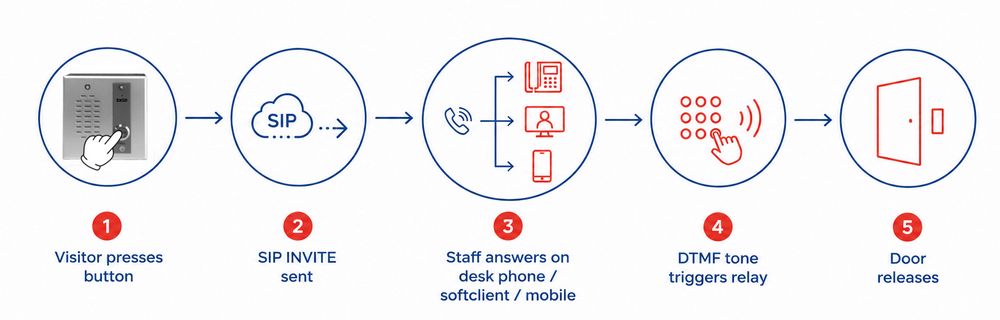
Because the entire session runs as a standard SIP call, door release is handled within the call itself—no proprietary API, no third-party middleware, and no integration work beyond normal dial plan configuration. Call records appear in PBX reporting alongside every other communication in the system.
ZYCOO VI Series: Built for Commercial UC Deployments
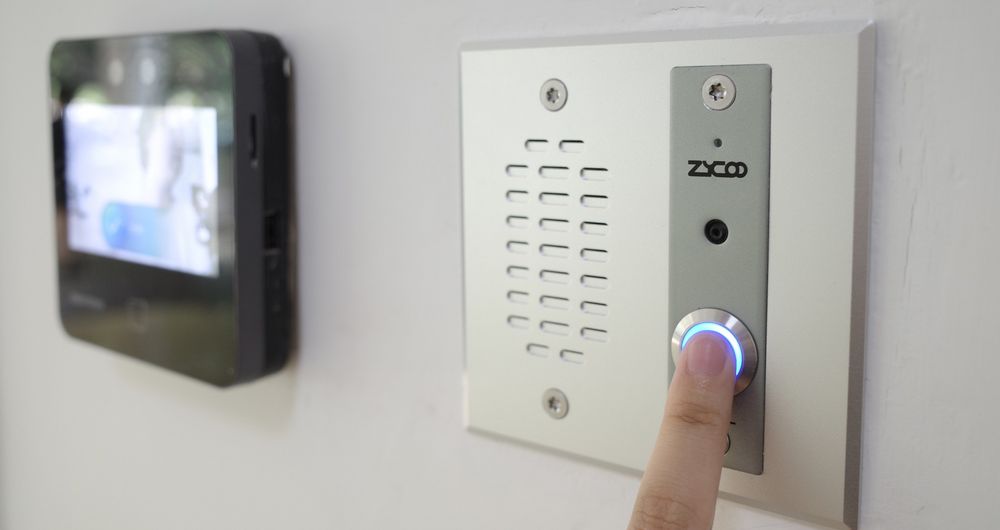
ZYCOO's VI series SIP network intercom line for commercial environments. All three models—the VI-A05 (audio), VI-V05 (video), and VI-D05 (dual-button)—register on any SIP-compliant PBX as standard extensions, using the same provisioning workflow as a desk phone or softclient.
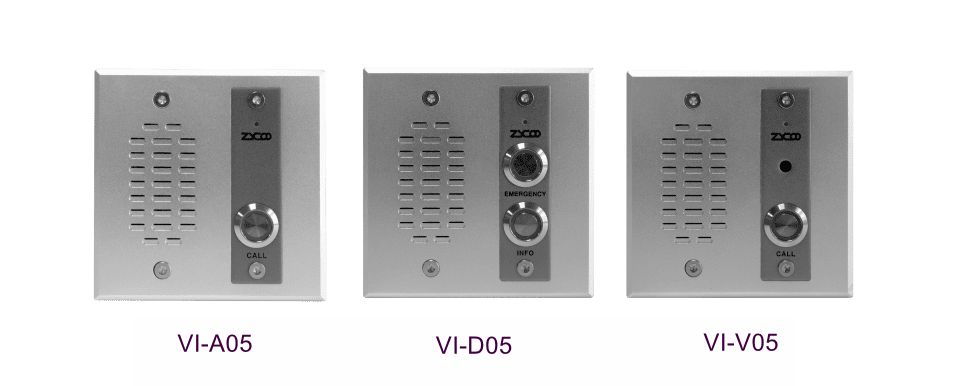
All models are PoE/PoE+ (IEEE 802.3af/at), meaning each unit runs on a single Ethernet cable with no separate power supply. They support both flush-mount installation compatible with standard 2-gang electrical boxes and wall-mount installation via the EA-MB2 mounting box, covering the most common commercial installation requirements without custom fabrication. The enclosures are vandal-resistant with a built-in tamper alarm that can trigger a relay alert if the unit is forced or removed—relevant for any public-facing or external installation.
For enterprise reliability, the VI Series supports failover forwarding across up to five predefined destinations. If the primary extension is busy or doesn't answer, the call automatically moves to the next destination in sequence. For buildings where a missed intercom call has real operational consequences—a staffed reception that's temporarily unmanned, a gated facility after hours, a hospital goods entrance—this is the kind of call handling that belongs in a properly specified system rather than left to chance.
The VI-V05 adds 1280×720 video at 25fps and is ONVIF-compatible, which means its video stream can feed into an existing video management system alongside the IP camera infrastructure—without requiring a separate camera at that position.
Deployment Scenarios: Where VI Series Intercoms Fit
The following maps each VI Series model to the access and communication requirements of specific commercial locations. These aren't the only scenarios the VI Series covers, but they represent the most common starting points for commercial building deployments.
Main Lobby and Attended Reception Points
The lobby needs visual verification. Before admitting a visitor, reception staff need to confirm who's outside, and audio alone doesn't reliably support that. The VI-V05 delivers a live video feed to any compatible SIP video phone or desktop softclient at the reception desk, within the same UC interface the receptionist already uses for internal calls. Its ONVIF compatibility means the video stream can also feed into the building's VMS for monitoring and recording.
Service Entrances and Delivery Points
Service entrances typically have high, irregular traffic—deliveries, contractors, maintenance crews—without a dedicated staff member present. An audio intercom connected to the right hunt group routes calls to whoever is responsible for that entrance, whether that's a receiving department, a facilities team, or an escalating sequence of extensions. The VI-A05 is the appropriate model here: audio-only, provisioned as a standard extension, with routing logic configured exactly like any other extension in the dial plan.
Restricted Areas and Tiered Access Control
Server rooms, data floors, and secure storage areas often require a different call destination and a different relay output from the general building entry. The VI-D05 handles this with two independent call buttons, each mapped to a separate SIP destination and a separate relay output. One button routes to IT support for standard access; the other routes to a security desk for elevated access. Each button operates as an independent SIP extension, so routing and access audit trails are configured and reviewed independently.
Parking, External Perimeters, and Emergency Call Points
Outdoor locations add the requirement for weather and tamper resistance, both of which the VI Series enclosure is built to handle. The PoE connection keeps installation straightforward—wherever an Ethernet cable can run to a PoE switch, a VI Series unit can be deployed on the same switching infrastructure already serving outdoor cameras and access points.
In these locations, intercom and PA systems often need to work together. Where a ZYCOO IP Audio Center is part of the deployment, an emergency call point trigger can route a SIP call to the security desk while simultaneously initiating a PA broadcast to the relevant building zone—all within the same IP network, without manual coordination across separate platforms.
Compatible with Your Existing PBX Platform
The VI Series registers as a standard SIP extension on any RFC-3261-compliant IP PBX — the same registration process used by any SIP desk phone or softclient. There's no proprietary protocol to negotiate and no vendor-specific driver to install. If your PBX accepts standard SIP endpoint registration, the VI Series will work with it.
For organizations already running ZYCOO CooVox, the VI Series is the tested reference integration. Provisioning, call routing, relay permissions, and failover configuration are all managed from the same CooVox administration interface used for the rest of the VoIP deployment, and ZYCOO's documentation covers this environment in full.
For deployments on third-party PBX platforms (whether 3CX, Asterisk, FreePBX, Grandstream UCM, or others) the SIP registration process is standard, but specific configuration details around DTMF relay triggering, codec negotiation, and auto-provisioning can vary by platform version and environment. ZYCOO's technical support team can work through platform-specific provisioning with you before the project is committed.
Extending UC to Every Communication Point in the Building
The case for SIP network intercom in a commercial building isn't really about the intercom. It's about whether the communication infrastructure you've built—the PBX, the dial plan, the reporting environment, and the mobile extensions—stops at the IT room or extends to every point in the facility where a communication event can happen.
VI series SIP intercoms, VoIP infrastructure, and IP PA connectivity all sit within the same ZYCOO ecosystem on the same IP network. For a system integrator scoping a project, that means one infrastructure to design and one platform to hand over for ongoing administration. For an IT team running the system day to day, it means every communication point—phone, softclient, intercom, PA zone—is visible and manageable from the same place.
For full VI Series specifications, model datasheets, and platform provisioning guides, visit the VI Series product page or contact the ZYCOO team directly.