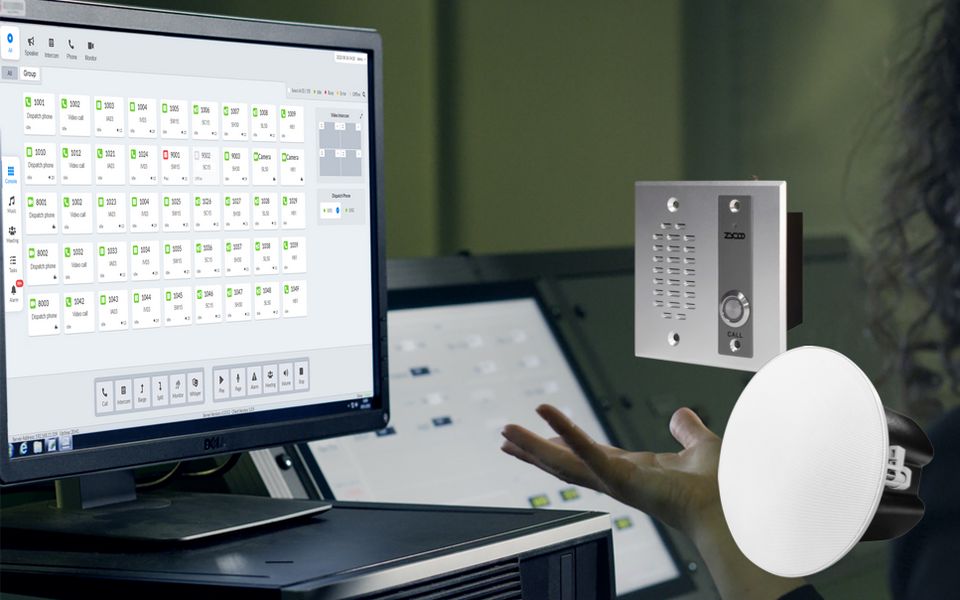
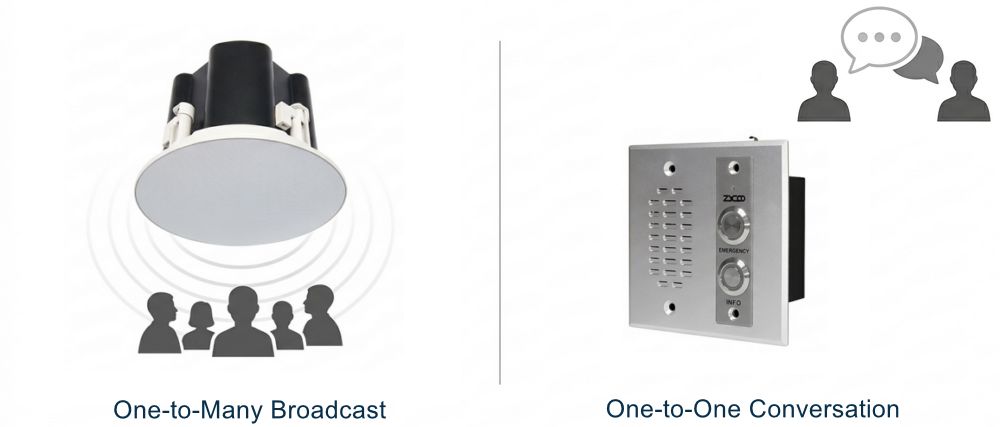
Paging and intercom are two audio communication methods. Paging is one-to-many. Intercom is one-to-one. That's the short answer, but if you're planning a real deployment, the distinction matters far more than a simple label.
Both systems deliver voice communication. Both can run over IP. And in modern facilities, they often share the same network infrastructure. But they handle communication in fundamentally different ways, and choosing the wrong one for a specific scenario creates real operational problems: coverage gaps, missed alerts, or staff responding to announcements when they should be having direct conversations.
This article breaks down how each system works at a technical level, where each fits best, and why most facilities today need both running together.
What Is A Paging System?
A paging system broadcasts voice messages from one source to multiple listeners at the same time. When a page goes out, it reaches every speaker in the target zone simultaneously; no one needs to answer, press a button, or interact with anything.
In IP-based deployments, this works through network speakers and paging gateways connected to a central communication server. A page can be triggered from a phone extension, a microphone console, or an automated event like fire alarm activation, a scheduled bell, and a sensor alert.
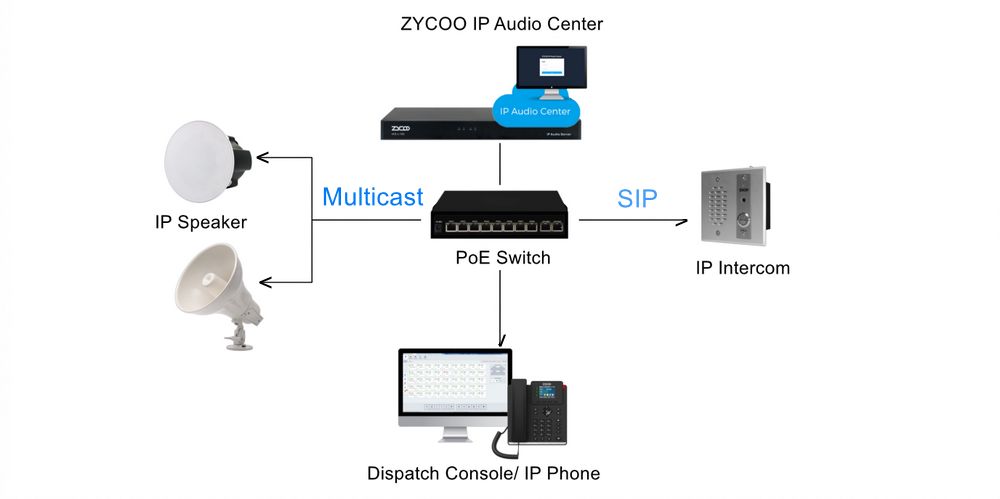
Architecture makes paging powerful. IP paging systems typically use multicast audio streams, which means one audio stream reaches hundreds of speakers without multiplying the network load. Whether you're paging 10 speakers or 500, the system behaves the same way.
Paging works best when the message needs to reach a wide audience fast and no response is required:
- General announcements and operational instructions
- Emergency evacuation alerts
- Scheduled notifications like shift changes or class bells
- Background music and zone-based audio management
What Is An Intercom System?
An intercom system connects two specific endpoints in a real-time two-way conversation. One side initiates; the other responds. Both parties can speak and listen.
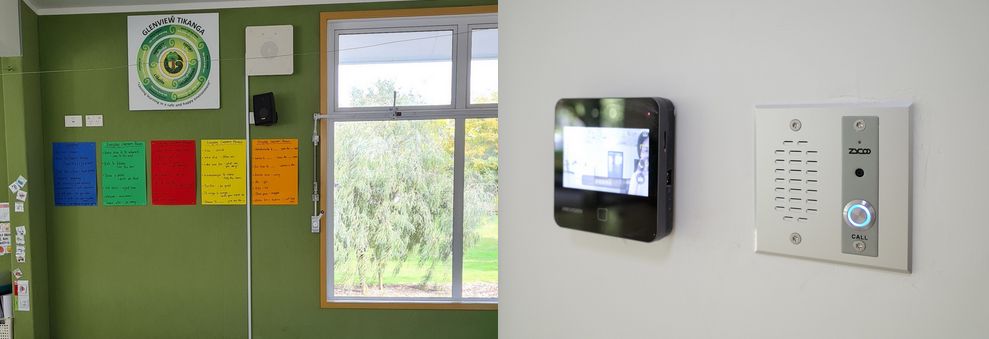
In IP-based deployments, intercom endpoints (door stations, wall panels, and desk units) all register as SIP devices on the network. Depending on how the system is configured, a call initiated from a door station can route through the IP PBX, which means incoming intercom calls can ring a security desk extension, a receptionist, or any designated endpoint and are managed through the same dial plan as regular phone calls. With a video intercom, the receiving party can see who's at the door, speak back, and trigger a door release from a single interface.
This session-based model is fundamentally different from paging. Each intercom call creates a dedicated communication session between two endpoints. It uses system resources, requires a person to be present on the receiving end, and creates a record of the interaction. That's exactly what you need when the situation calls for verification, confirmation, or controlled access.
Common intercom deployment points include:
- Building entrances and lobby access control
- Security checkpoints and restricted area gates
- Nurse call stations and patient rooms
- Service counters and help desks
- Control rooms communicating with field staff
Paging vs. Intercom: Key Differences at a Glance
Feature | Paging System | Intercom System |
|---|---|---|
Communication Direction | One-way broadcast | Two-way conversation |
Target Audience | Mass groups or specific zones | Specific endpoints |
Typical Devices | Network speakers | Intercom panels / door stations |
Network Behavior | Broadcast / multicast audio | SIP call session |
User Interaction | Passive listening | Active participation |
Scalability | High scalable, network load stays stable | Each call comsues a dedicated session |
Best for | Annoucements, alerts, scheduled audio | Access control, door locks, security cameras |
Installation Complexity | Lower for large converage areas | Higher, each endpoints need individual configuration |
The Technical Distinction Worth Understanding
At a system level, paging and intercom behave very differently. And this matters when you're sizing infrastructure or troubleshooting.
A paging broadcast uses a single audio stream delivered to many endpoints simultaneously. Because of multicast addressing, the network doesn't need to create a separate data path for each speaker. One stream goes out; every subscribed speaker in the zone receives it. That's why a facility with 300 IP speakers can run a campus-wide page without flooding the network.
An intercom call, on the other hand, creates a dedicated SIP session between two endpoints. The system allocates bandwidth for that conversation, tracks its duration, and closes the session when it ends. This is the right model for anything requiring interaction, but it also means intercom systems don't scale the same way paging does. Running 50 simultaneous intercom calls requires 50 active sessions. Running a page to 500 speakers requires one.
Understanding this helps you plan the right infrastructure from the start.
Why Modern Facilities Need Bothh
Paging and intercom aren't competing solutions. They solve different problems, and most well-designed communication systems run both on the same IP network.
A manufacturing facility uses paging for shift announcements and emergency evacuation alerts across the production floor. The message reaches 200 people instantly, with no interaction required. The same facility uses an intercom at security gates and loading docks, where a guard needs to visually verify a driver, ask a question, and release access. Neither system could do the other's job effectively.
In a hospital, paging handles nurse call zone alerts and routine overhead announcements. Intercoms handle direct communication between nurse stations and patient rooms and between staff at secured entry points. The two work together on the same network, managed from the same platform.
The integration is straightforward with modern IP infrastructure. Network speakers, paging gateways, and SIP intercom door stations all register as endpoints on the same IP network. Through ZYCOO's IP PBX and IP Audio Center, administrators manage paging zones, intercom routing, scheduled announcements, and access events from a single interface. Automated workflows become possible too: a door sensor triggers an intercom alert to security, while a fire panel activation automatically initiates a paging broadcast to the relevant zones.
Planning Checklist Before Your Design
Getting the system right starts before any equipment is specified. Here are the key questions to work through:
1. What areas need coverage, and how are they zoned?
Large multi-building sites typically need independent paging zones so a warehouse announcement doesn't interrupt office staff. Map coverage areas first; zone structure determines how many gateways and speakers you need.
2. Where does two-way communication matter?
Identify points where someone needs to interact, not just hear. Entrances, gates, restricted areas, service counters, and control rooms are typical candidates. Each needs an intercom endpoint, not just a speaker.
3. What systems does this need to connect with?
Most deployments don't stand alone. Integration with an existing IP PBX, access control system, fire alarm panel, or video management system changes the infrastructure requirements significantly. Know what you're connecting to before you finalize the design.
4. What are the outdoor and environmental requirements?
Outdoor paging speakers and intercoms need appropriate IP ratings for weather exposure. Parking areas, loading docks, entrances, and industrial environments often require hardware rated for dust and moisture.
5. How will the system be managed day to day?
For smaller deployments, basic configuration is enough. For large facilities with hundreds of endpoints, a centralized management platform that handles zone scheduling, intercom routing, firmware updates, and monitoring from one interface saves significant ongoing effort.
Learn more about IP PA system selection criteria.
Conclusion
Paging and intercom are purpose-built for different communication scenarios. Paging gets a message to a large audience simultaneously, with no friction on the receiving end. Intercom creates a direct conversation between two parties when verification, response, or access control is required.
For most facilities, the question isn't which one to choose, but how to design both into the same infrastructure so they work together effectively. Modern IP communication systems make that integration practical without requiring separate platforms or parallel networks.
Getting clear on which scenarios need broadcast communication and which ones need interactive communication is the most important step in designing a system that actually works as intended.
FAQs
Q1. What is the main difference between paging and intercom?
Paging sends a one-way audio broadcast to multiple speakers or zones at the same time. Intercom establishes a two-way voice session between two specific endpoints, allowing both parties to speak and respond in real time. The fundamental difference is between broadcast and conversation.
Q2. Can a paging system support two-way communication?
Traditional paging is one-way by design. However, modern IP paging infrastructure can be combined with SIP intercom devices on the same network, giving you both capabilities within a single managed system. The paging components handle mass notifications; the intercom components handle interactive sessions.
Q3. Do IP systems support both paging and intercom?
Yes. IP-based communication platforms like ZYCOO's IP PBX and IP Audio Center support both functions within the same network infrastructure. Network speakers, paging gateways, and intercom door stations all register as SIP endpoints and can be managed from a single interface.
Q4. Is paging the same as a public address system?
Paging is the core function of a public address (PA) system. A PA system typically combines speakers, amplifiers, and a control platform to broadcast audio across a building or campus. In IP deployments, PA systems extend this with zone scheduling, emergency alert automation, and integration with other building systems — with paging as the delivery mechanism.
Q5. Can I upgrade an existing analog paging system to IP?
Yes, and it's one of the most common infrastructure upgrades in facility communication. IP paging gateways can bridge legacy analog speaker circuits to an IP network, allowing existing speakers to receive pages from a modern IP platform without full hardware replacement. The upgrade path depends on the existing cabling, speaker configuration, and what new capabilities are required.