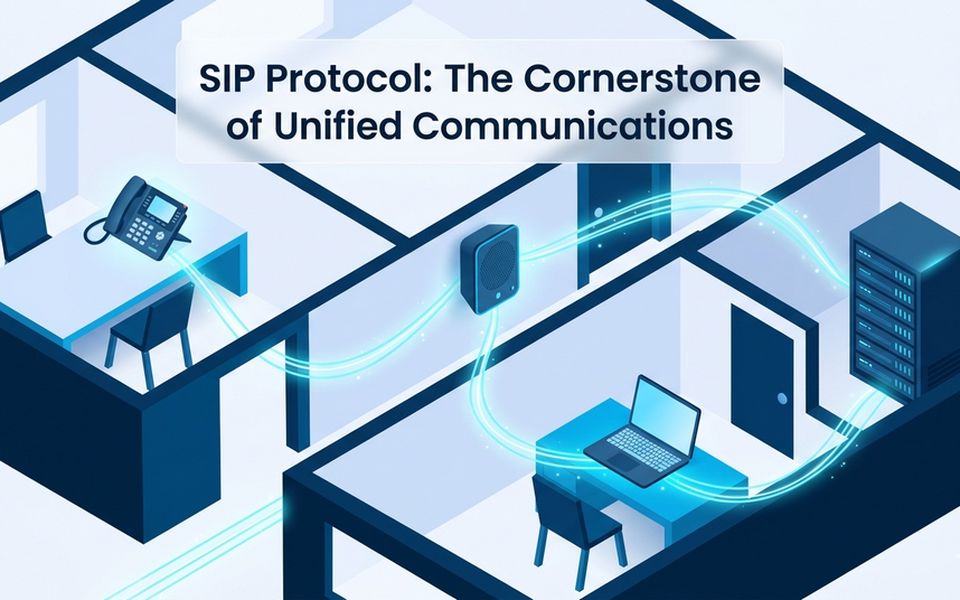
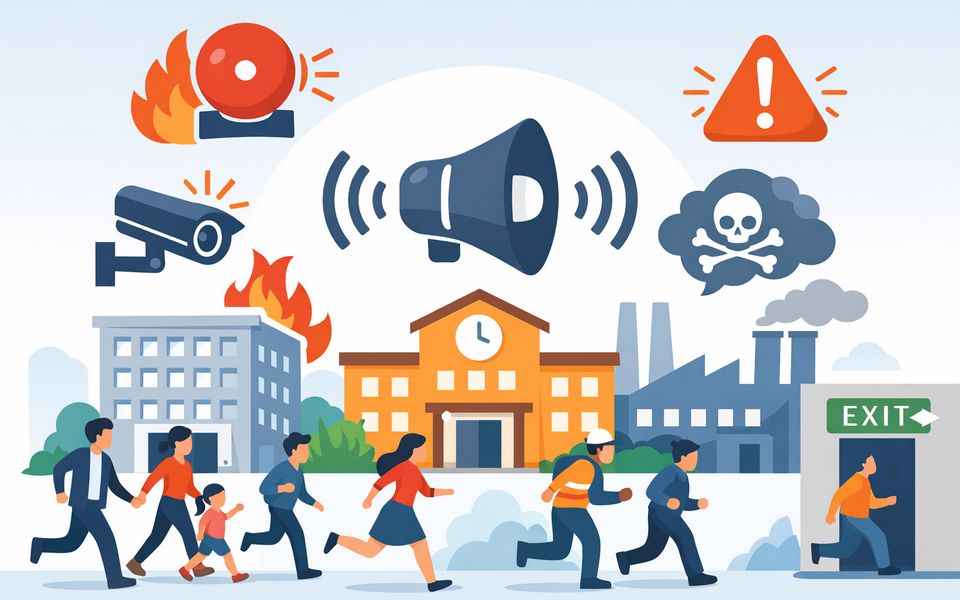
In a classroom, bank counter, healthcare reception area, or security office, an emergency may, leave staff with little time—or no safe opportunity—to place a conventional phone call, unlock a mobile app, or operate a desktop interface. In these situations, reaching the right responder needs to be immediate, discreet, and tied to a clearly identified location.
Network panic buttons provide a dedicated physical point to initiate that response. When implemented as a SIP endpoint, it can connect to the existing IP PBX or communication platform, trigger a silent emergency call, identify the activation point, and route the call to predefined responders without requiring a separate voice network.
This guide explains how a SIP panic alert button works, how it differs from other emergency alert buttons, how it integrates with existing UC and security systems, and what to evaluate before specifying one.
What Is a Network Panic Button?
A network panic button is a physical emergency trigger that uses a connected communication system to send an alert, place a call, or initiate a predefined response workflow. Depending on the solution, it may connect through Ethernet, Wi-Fi, a proprietary wireless network, or another managed platform and notify security personnel, administrators, monitoring centers, or public-safety responders.
Network-connected emergency activation methods include fixed SIP panic buttons, wireless or wearable buttons, and app-based panic alerts or software activation method. These options serve different deployment needs. Mobile and wearable devices can follow staff as they move between locations, while fixed devices provide a permanently available activation point associated with a known room, desk, counter, or service area.
Fixed SIP Panic Button vs. Wearable Button vs. App-Based Panic Alert
Facilities can use several types of emergency activation devices as stated above. They are not always interchangeable, and each serves a different role within an emergency communication system. Here is a brief table discussing the main differences among fixed emergency panic buttons, wearable buttons, and software-based alert activation.
Activation Method | Best Suited For | Main Strength | Main Limitation |
|---|---|---|---|
Fixed SIP Panic Button | Classrooms, offices, service counters, reception desks, and other known locations | Stable network connection and clear association with a fixed location | Cannot follow staff between locations |
Mobile or wearable panic button | Teachers, healthcare workers, security staff, and other mobile personnel | Remain accessible while moving around the facility or campus | Depends on wireless coverage, charging, and device management |
App-Based Panic Alert | Staff equipped with managed smartphones, tablets, or computers | Provide a software-based alert activation method for instant alert trigger | Require access to an available, connected, and functioning device |
Instead of deploying a single trigger type and expecting to cover every environment, the right design may combine fixed, mobile, wearable, and software-based activation methods to largely protect the life and property of all personnel.
What Happens When a SIP Panic Button Is Pressed?
Pressing a safety button will begin a clearly defined emergency response process rather than simply generating an isolated alert.
- The user presses the fixed emergency button without opening an app, using a handset, or dialing an extension.
- The registered endpoint sends a call request to the SIP server using the same signaling process as another SIP device.
- The connected system routes the emergency call to a preset destination, such as a security desk, facility manager, administrator, internal response team, or monitoring center.
- If the first destination is busy, unavailable, or does not answer, sequential failover can route the call to the next configured contact.Once the call is answered, the responder can receive a prerecorded location message or hear live audio near the device without producing an audible response in the room.
- The responder can escalate the incident to security personnel, facility management, emergency services, or other connected communication systems according to the organization’s response plan.
- When calls are routed through an IP PBX or SIP server, associated call records can help document the activation time, extension, destination, and call status.
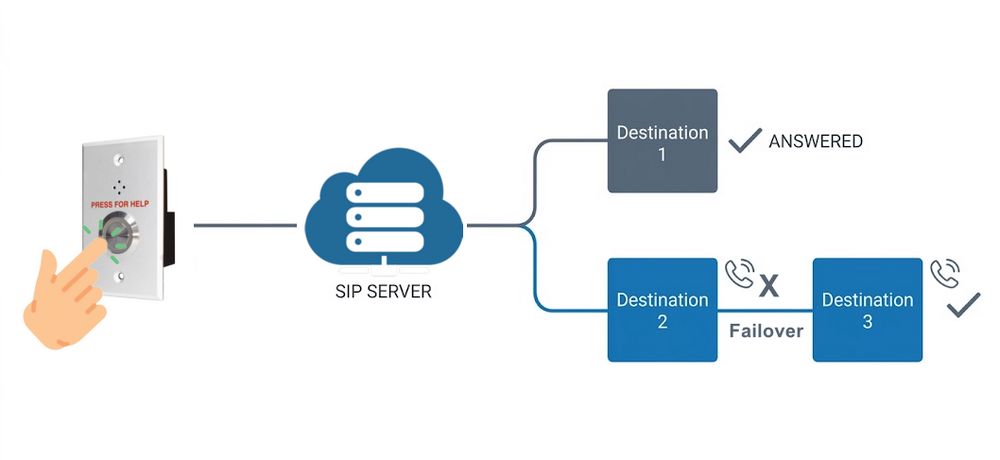
The complete workflow depends on the emergency button, SIP platform, call-routing configuration, and connected security systems. A SIP alert button may initiate the call, but actions such as building-wide paging, door control, camera display, or external public-safety notification require the relevant systems to be integrated and properly configured.
How SIP Panic Buttons Integrate with Existing UC and Security Systems
Standard SIP Registration
With the SIP protocol, the device registers as a SIP endpoint using its own credentials and extension to work with compatible IP PBXs, SIP servers, or IP audio platforms and follow the call-routing rules configured within those systems.
Because each emergency button can use a dedicated extension, the extension can be associated with a classroom, office, reception desk, bank counter, nurse station, or another known location.
Emergency Call Routing and Failover
Routing an emergency call to only one extension can create a single point of failure. A more resilient configuration uses multiple destinations in a predefined order.
If the first responder is busy, unavailable, or does not answer, the call can automatically move to the next destination. The destinations may include an internal security desk, administrator, facility manager, mobile number, or external monitoring service reached through a SIP trunk.
Location Identification and Call Records
An emergency panic button is installed at a known location, making it easier to associate an incoming call with a particular room, desk, counter, or facility area. The receiving party may identify the activation point through the device extension, caller ID, system records, or a prerecorded location message played when the call connects.
Calls generated by the safety button can also appear in the connected SIP server’s call records, supporting incident review and routine system testing.
Paging and Mass Notification
A panic button can form part of a broader emergency communication system that includes IP telephony, paging, intercom, and mass notification. An activation can first place a silent call to security, after which authorized personnel can initiate a zone announcement, lockdown message, evacuation instruction, or facility-wide notification.
Access Control Integration
SIP panic buttons may also participate in security workflows like access control systems. An activation can potentially help operators operate a relay or initiate an authorized door-control procedure.
These functions may rely on DTMF, dry-contact outputs, APIs, or third-party integration platforms.
PoE Deployment and Remote Management
A PoE-powered IP panic button can receive network connectivity and power through one Ethernet cable. This simplifies installation and removes the need for a separate local power adapter.
A web-based management interface allows authorized integrators to configure call destinations, activation behavior, SIP credentials, and other device settings remotely without opening or physically accessing every installed unit. Device registration and availability should also be included in routine maintenance and testing procedures.
What to Evaluate Before Choosing a SIP Panic Button
Choosing an emergency button involves more than confirming that the device has a physical button and an Ethernet port. You should evaluate how the endpoint fits into the complete emergency response workflow.
Requirement | What to Check |
|---|---|
SIP Compatibility | Confirm that the device can register with the selected IP PBX, SIP server, or IP audio platform and supports the required codecs and SIP settings. |
Alert Workflow | Determine whether pressing the button places a silent SIP call, plays a location message, triggers another system event, or combines several actions. |
Call Destinations | Check how many destinations can be configured and whether unanswered or busy calls automatically move to the next responder. |
Location Identification | Ensure that each extension or device can be associated with a specific room, counter, desk, or facility area. |
System Integration | Verify the interfaces required for IP PBX, paging, mass notification, VMS, access control, sensors, or external devices. |
Power and Network Resilience | Review PoE availability, UPS protection, VLAN design, network access, and the impact of a switch or server failure. |
Device Supervision | Determine how administrators identify failed SIP registration, network disconnection, or an unavailable endpoint. |
Installation Method | Confirm whether the device supports under-desk, wall, surface, or flush mounting for the intended location. |
Accidental Activation | Review button placement and whether short-press or long-press behavior can be configured. |
Testing and Maintenance | Establish how devices, call routes, responder availability, and integrated actions will be tested without causing an unintended emergency escalation. |
The emergency response procedure should be defined before the device is installed. An emergency button is only as effective as the people, call routes, communication systems, and response actions connected to it.
Where SIP Panic Buttons Work Best
SIP panic alert buttons are most suitable for locations where staff regularly occupy a known room, desk, counter, or service point and need a discreet way to request assistance.
Environment | Typical Placement | Common Response Destination |
|---|---|---|
Education | Classrooms, front offices, counseling rooms, nurse’s offices, and administrative areas | Campus security, administrators, or a district response team |
Banking and Finance | Under counters, teller stations, consultation rooms, and back offices | On-site security or an external monitoring center |
Healthcare | Reception desks, nurse stations, consultation areas, and isolated staff rooms | Hospital security, supervisors, or an internal emergency team |
Government and Courtrooms | Public service counters, courtrooms, chambers, and staff-only areas | Building security or designated officials |
Retail and Hospitality | Checkout areas, customer service desks, back offices, and hotel reception | Store management, hotel security, or facility personnel |
Offices | Reception areas, executive offices, interview rooms, and isolated workstations | Internal security, office management, or building personnel |
Industrial Facilities | Control rooms, guard stations, and isolated work areas | Safety teams, security personnel, or operations management |
However, a fixed panic button cannot follow staff who regularly move across a campus, warehouse, hospital, or other large facility. Wearable or mobile panic alerts may therefore be required as complementary coverage.
SIP Panic Buttons for School Emergency Communication
Research shows that 70% of school shootings end in under five minutes, and 36% end in under two minutes. A panic alarm system that instantly triggers alerts to administrators and sends a signal directly to local police stations, security centers, or emergency medical services is therefore critical in reducing response time and improving outcomes.
In a classroom, administrative office, counseling room, nurse’s office, or campus entrance area, emergencies often leave staff with no time to use a phone, app, or computer. A safety panic button provides a simple, immediate, and discreet way to request help with a single press.
Installed at a known location and powered via PoE, the device remains continuously active and connected to the school's SIP system. Once triggered, it can automatically initiate a predefined call workflow to campus security, administrators, or other designated responders, ensuring rapid escalation without user hesitation or complex steps.
While it does not replace mobile or wearable alert systems, a fixed panic button is a critical layer in a broader school safety strategy. It works alongside intercom, paging, access control, and video systems to support coordinated lockdowns, alerts, and emergency response actions when properly integrated and configured.
Alyssa's Law Considerations for SIP Panic Buttons
Alyssa's Law also requires that school staff can quickly and silently alert public-safety responders during emergencies. In this context, a SIP panic button can function as a fixed activation point within a broader emergency communication system, but compliance is not achieved by the device or SIP connectivity alone. Schools must evaluate the entire solution—including notification pathways, location accuracy, system supervision, testing procedures, and integration with public-safety workflows—against applicable state laws and local regulatory requirements before determining compliance.
How the ZYCOO PB-S11 Supports Fixed-Location Emergency Alerts
The ZYCOO PB-S11 is a PoE-powered SIP network panic alert button designed to provide a simple, fixed-location method for initiating emergency calls. It registers as a standard SIP endpoint and can integrate with compatible SIP platforms, including the ZYCOO CooVox IP PBX and IP Audio Center.
- Silent SIP one-touch calling
- Up to 5 emergency destinations
- Automatic call failover routing
- Built-in microphone monitoring
- Speaker-free silent operation
- PoE power and network in one cable
- Flexible wall or flush mounting

Paging, lockdown announcements, access control, and external emergency notification may also be incorporated through the relevant connected systems. These actions depend on the complete system design and should be configured, commissioned, and tested for each deployment.
For detailed specifications, installation options, and product resources, visit the ZYCOO PB-S11 network panic button product page.
Closing Thoughts
A network panic button is not designed simply to generate an isolated alert. It helps users discreetly initiate a response workflow when using a phone, computer, or mobile application is not safe or practical.
A SIP panic button can fill this activation gap while using an organization’s existing IP network and communication platform. Its effectiveness depends on accurate location identification, resilient call routing, appropriate network protection, compatible system integration, regular testing, and a clearly documented response procedure.
The ZYCOO PB-S11 provides a fixed, PoE-powered SIP endpoint with silent calling, built-in audio pickup, and sequential failover across up to five destinations. It can serve as one component within a broader emergency communication strategy for schools, banks, healthcare facilities, government buildings, offices, and other commercial environments.