When schools start looking at IP paging systems, the discussion often begins with sound. Better coverage. Clearer announcements. Fewer dead zones. These are also reasonable concerns, but they're rarely the real reason schools struggle with their existing PA systems.
Most paging problems in schools are not audio problems but the coordination problems. Schedules change. Buildings get reassigned. Announcements need to reach some people, not everyone. And during emergencies, control matters more than volume.
This article is there to look at when IP paging actually makes sense in a school environment, based on how campuses operate day to day—and where traditional PA systems start to fall behind.
The Reality of School Communication and Where Judgments Go Wrong
Many schools already have a functioning PA system. Bells ring on time. Announcements are audible. From the outside, it looks like nothing is broken. This often leads to the assumption that IP paging is simply a newer version of the same thing, creating a chain of misjudgments that recurs repeatedly in school projects.
IP Paging Is Not Just a Networked PA System
The first mistake is treating IP paging as an analog PA system with an Ethernet cable. The expected improvement may be better sound or easier wiring. In reality, IP paging doesn't change much about how announcements sound. What it changes is how they are controlled, scheduled, and routed. When schools evaluate IP paging purely as an audio upgrade, it often feels unnecessary or underwhelming.
A Campus Network Alone Does Not Guarantee Fit
The second misjudgment is assuming that having a campus network automatically makes IP paging a good fit. Most schools do have networks, but paging places different demands on infrastructure than everyday IT traffic. In real emergencies, paging systems must behave predictably. Permission control must be clear. Treating paging as just another IP device can lead to designs that look fine on diagrams but struggle during real incidents.
Paging Is Not Meant to Cover All Communication Needs
The third, and most costly, mistake is expecting one paging system to cover every communication requirement. IP paging is not designed for classroom instruction, two-way intercom conversations, or teaching audio. When it is positioned as a universal solution, it ends up doing too much and doing it poorly. Clear role definition matters more than system capability. Without it, even well-designed systems create frustration.
What an IP Paging System Means in a School Environment
In schools, IP paging usually sits between daily routines and safety communication. Most of the time, it handles predictable tasks that happen quietly in the background.
Daily Operations Come First, Not Emergencies
Morning announcements, class change bells, and short notices happen in schools dozens of times a day, often without much thought. In many schools, these routines still depend on manual triggers or aging control panels. Small changes like adjusting bell times or adding a temporary announcement zone require physical access to equipment. Over time, this creates friction between how the school operates and how the system was originally designed.
Centralized Control Changes How Staff Work
With IP paging, routine communication moves into a centralized system. Administrators can trigger announcements via software from their offices. Bell schedules can be updated when timetables change. Different buildings can follow different schedules, which matters on campuses where classrooms, gyms, and labs operate on different rhythms Staff spend less time working around the system and more time using it as intended.
Emergency Messaging Depends on Control, Not Volume
During emergencies, clarity and consistency matter more than loudness. Lockdowns, evacuations, and shelter-in-place events require messages to be delivered quickly and without confusion. IP paging supports predefined messages and centralized control, reducing the risk of conflicting instructions.
What Communication Problems IP Paging Actually Solves in Schools
IP paging systems are most effective when traditional analog PA systems begin to lose flexibility.
Zoning Changes as the Campus Changes
Schools rarely remain unchanged. A middle school may become a K–8 campus. Students of different grades will rotate between buildings. Spaces originally designed for a particular purpose may be reused.
With analog PA systems, changing zones often means rewiring or physically reassigning speaker lines. It works, but it’s slow and disruptive. However, IP paging can define zones in software. When the use of a building changes, the paging area can be changed accordingly without affecting any physical infrastructure.
Decentralized Control: Ending the "Control Room" Bottleneck
Many schools still rely on a single PA console or control room. This creates a bottleneck during simultaneous events—such as when an athletic director needs to page the sports field while the front office is handling regular dismissal announcements.
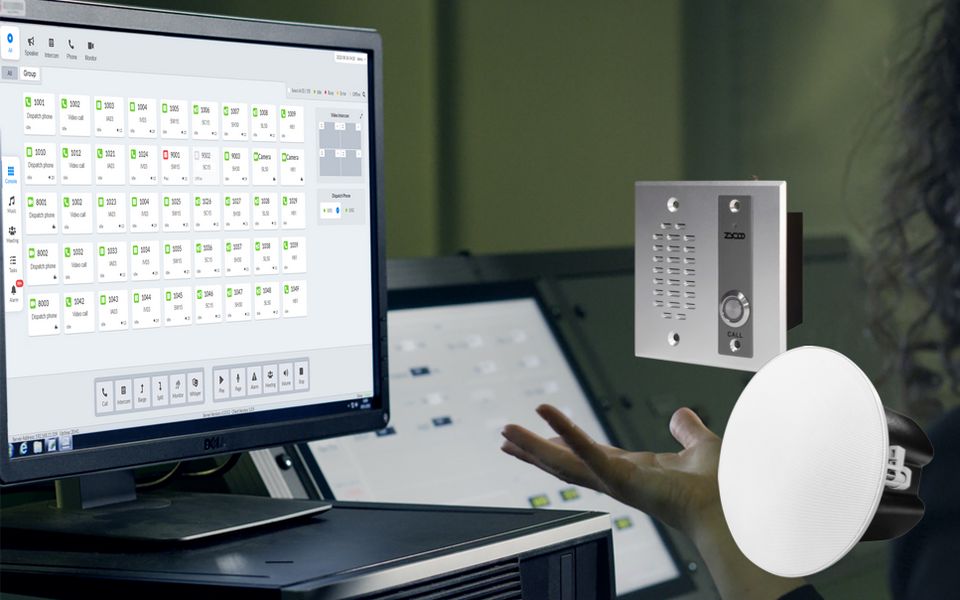
An IP paging system breaks this physical limitation. By allowing authorized staff to initiate announcements directly from their workstations or mobile devices, schools gain multi-point control. During emergencies, this speed is critical; administrators can trigger lockdown alerts from wherever they are, rather than losing precious seconds running to a central console.
Integration That Reduces The "Silo" Burden
Moving beyond operational convenience, IP paging solves the technical headache of maintaining fragmented systems. By integrating paging into the school's existing SIP-based environment (IP-PBX), bells, voice paging, and emergency notifications now share the same signaling methods and management tools.
This convergence eliminates the need for standalone, proprietary paging racks. For IT teams, fewer "silos" mean faster troubleshooting and a significantly lower learning curve. Instead of managing three separate systems from three different vendors, the entire communication ecosystem operates on a single network backbone.
Retrofit Scenarios Where Wiring Becomes the Constraint
Older or renovated buildings often lack usable speaker cabling but already have network drops for computers and wireless access points. Running new speaker wire through finished ceilings adds cost and disruption.
In these cases, deploying IP speakers over existing network infrastructure can reduce installation effort and scale more predictably as campuses expand.
Targeted Emergency Messaging Instead of Campus-Wide Alerts
Not every incident requires a campus-wide message. Some situations are limited to specific buildings or areas.
IP paging allows different messages to be sent to different zones at the same time. One building may enter lockdown while the rest of the campus receives context without unnecessary alarm. Analog systems can support zoning, but usually with less granularity and more operational complexity under pressure.
Where IP Paging Is Often Overestimated
Despite its advantages, IP paging is not always the right choice.
When Stability Makes Analog Still Reasonable
In small schools with stable layouts, limited announcements, and little schedule change, traditional PA systems may continue to work well. If communication needs are simple, the operational benefits of IP paging may be minimal.
Problems Caused by Poor Role Definition
Issues often arise when IP paging is deployed without a clear purpose. Expecting it to replace classroom audio or serve as a complete communication platform leads to frustration. These problems are usually caused by role confusion, not technical failure.
A Practical Way to Decide if IP Paging Fits Your School
Schools that benefit most from IP paging tend to share certain traits. Their campuses evolve. Their schedules overlap. Their announcements are frequent and targeted. Their emergency planning requires precise control rather than broad broadcasts.
When paging decisions are framed around adaptability and operational clarity, IP paging becomes easier to evaluate. When framed purely as an audio upgrade, it often appears unnecessary.
If you’re assessing whether an IP paging system fits your campus, the real question is not whether it sounds better, but whether it helps staff communicate more effectively as the school changes.
For schools planning upgrades or new deployments, understanding these boundaries early can prevent costly redesigns later. To discuss how IP paging may fit into your broader communication environment, you can contact ZYCOO to explore system options, pricing, or request a demonstration based on real campus scenarios.