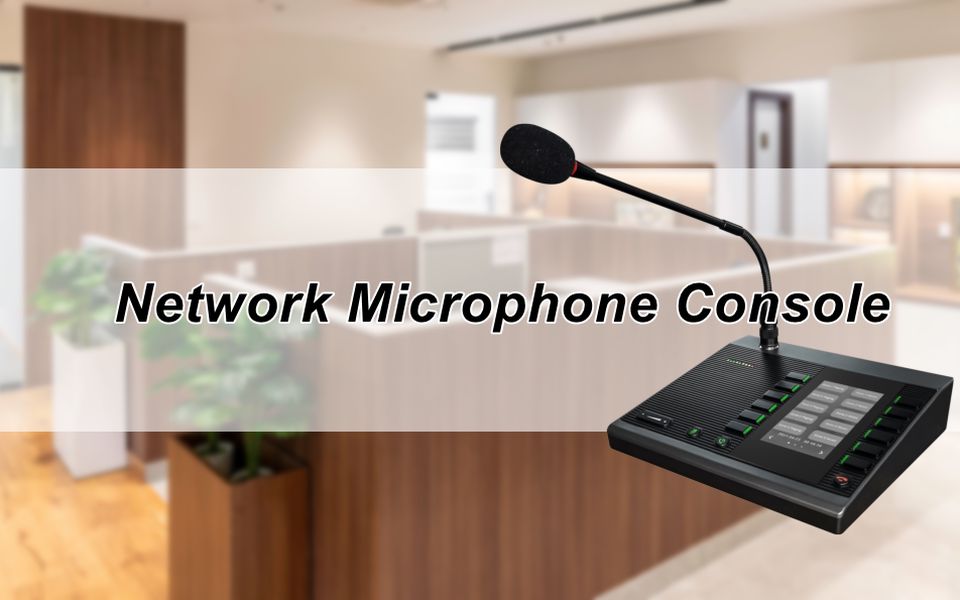
A network microphone console is the desk device an operator uses to initiate zone paging, live voice announcements, emergency broadcasts, and scheduled audio playback across an IP-based PA system. If you're specifying a public address system for a facility — whether it's a campus, a manufacturing plant, or a multi-floor office building — it's the piece of hardware that sits at the front end of the entire signal chain: the human interface between an operator and every speaker zone in the building.
If you're still running analog paging infrastructure, or if your current setup requires a dedicated server just to push audio across zones, this is a piece of hardware worth understanding properly.
This post covers what a network microphone console is, how it works in an IP PA system, what the ZYCOO M100 IP microphone console brings to each of those requirements, and the environments where it's most commonly deployed.
What Is a Network Microphone Console?
A network microphone console is a SIP-registered, PoE-powered desktop device that lets operators initiate voice announcements, zone paging, scheduled audio playback, and emergency notification over an IP network. It connects to the LAN like any other network endpoint and communicates with IP speakers, IP PBX systems, and PA management platforms using SIP, RTP, and multicast protocols.
Three broad categories of paging microphones:
- Analog consoles are point-to-point devices with limited zone control.
- Digital paging stations improve audio quality and add some zone management, but typically still depend on analog distribution infrastructure.
- IP paging microphone consoles are full network endpoints. Unlike traditional analog paging stations, IP paging microphone consoles register to SIP servers, stream audio over TCP/IP, can be deployed anywhere on the LAN without rewiring, and the integration with third-party systems happens via standard protocols.
The ZYCOO M100 Network Microphone Console is ZYCOO's IP paging console in this category. It's a SIP-enabled dispatch microphone console supporting up to 30 programmable zones, PoE installation, local audio storage, and a built-in event schedular. It's designed for environments where operators need fast, reliable zone control from a single desk device. In standalone deployments, multicast and peer-to-peer technology allow serverless paging without requiring a dedicated paging server.
Key Features of the ZYCOO M100 Network Microphone Console
Server-less Paging Across Up to 30 Zones
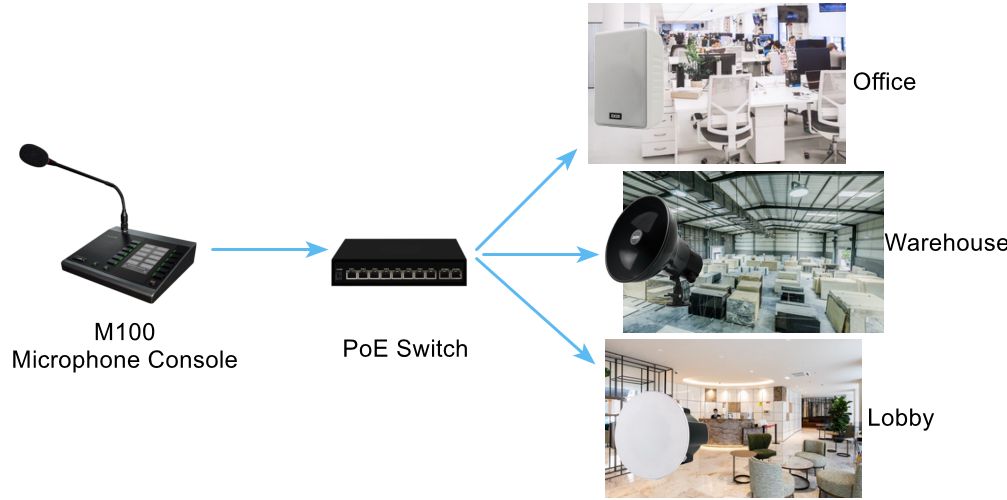
Not every facility requires a dedicated paging server. The M100 uses multicast and peer-to-peer technology to page up to 30 zones or individual devices directly, with no separate server in the path. For small-to-mid-size deployments, this removes a meaningful cost and complexity layer without sacrificing zone control. Each zone is mapped to a fast key, and the M100 handles addressing natively.
30 Programmable Fast Keys
The M100 has 10 physical buttons, each supporting three virtual layers — giving operators 30 independently configurable actions navigated via Page Up and Page Down. Each key can be assigned an outgoing call, a multicast stream, an HTTP request, a DTMF sequence, or a relay control. The audio source can be the microphone, the 3.5mm line input, a stored audio file, or a TF card playlist. In practice, a single operator can page a specific zone, broadcast a pre-recorded message, and trigger an access control relay from the same console without switching interfaces.
Two-Way Intercom and Multi-Line SIP
The M100 registers to any SIP-compliant server and supports registration of up to three SIP accounts (one primary and two secondary). This allows the console to be active across more than one system at once, useful in facilities running both a ZYCOO IP Audio Center and a third-party IP PBX. Beyond one-way paging, the M100 supports two-way SIP intercom. Operators can open a live conversation with a specific endpoint, such as a security station, a reception desk, or a door phone, without leaving the console. Auto-answer behavior and codec selection (G.722, G.711, Opus) are configurable per account.
Event Scheduler for Automated Broadcasts
For recurring announcements like school bells, shift changes, and scheduled background music, the M100's event scheduler handles up to 30 timed events, each linked to a fast key action and scoped to a specified date range and time of day. Once configured, these run without operator involvement. The same flexible action types available for manual key presses apply to scheduled events, including multicast streams, audio file playback, and playlists.
Local Audio Storage and External Music Input
A TF card slot (up to 32GB) stores pre-recorded messages and music locally on the device, available for playback via fast key or scheduled event. A 3.5mm audio input accepts an external line-level source — an MP3 player or audio interface — that can be routed through the paging system as a live stream. Both sources can be organized into playlists through the web management interface.
Relay Control and HTTP API
Two capabilities that matter for integrated deployments: the M100 has a dry contact relay output that a fast key can trigger in monostable or bistable mode, useful for lighting control, door release, or alarm activation alongside a voice announcement. The HTTP request function sends a GET or POST to an external application on key press, enabling integration with access control systems, building management platforms, and other IP-enabled applications.
PoE Powering and Simple Installation
The M100 runs on PoE (IEEE 802.3af/at) or DC 12V, so a single Cat5e or Cat6 run to a PoE switch handles both power and data. There's no local outlet requirement, no separate adapter, and no additional wiring beyond the standard network drop. The 4.3-inch LCD displays SIP registration information, key assignments, and operational status. The Page Up/Down buttons illuminate green when SIP registration is active.
How Does an IP Microphone Console Work?
When an operator presses a fast key for multicast page, the M100 begins encoding audio from the selected source, and transmits the stream to the multicast IP address mapped to that zone. Any IP speaker subscribed to that multicast group receive and play the stream, playing it through their driver with minimal delay.
For SIP-based intercom calls or outgoing paging, the M100 establishes a SIP session either through a registered SIP server or, in certain deployments, directly with a target SIP endpoint. Once the session is established, audio flows via RTP. The whole sequence from key press to audible announcement takes under a second in a properly configured network.
For scheduled events, the M100's internal event scheduler handles initiation. At the specified time, it fires the action associated with the linked button, whether that's multicast audio file playback, a playlist, or an outgoing call without requiring any operator interaction.
Audio Protocols
Understanding why requires a brief note on the protocols involved.
SIP handles session setup and teardown. It allows the M100 to register as an extension, initiate calls, and support two-way intercom.
RTP transports the real-time audio stream once a SIP session has been established.
Multicast allows a single audio stream to be distributed efficiently to multiple subscribed endpoints simultaneously without establishing separate SIP sessions for each recipient.
These are the reason an IP paging system behaves differently from an analog one — and why zone changes, device additions, and system integrations happen in configuration rather than in cabling.
Real-World Use Cases for the M100 Network Microphone Console
Schools and Educational Campuses
Routine bell scheduling, zone-specific staff announcements, and emergency lockdown broadcasts are three core requirements for educational campuses. The M100's event scheduler handles timed bells automatically. Teachers or administrative staff can use the fast keys to page specific zones or campus-wide emergency alerts without navigating software under pressure.
ZYCOO's IP audio solution for educational campuses →
Corporate Offices and Business Parks
Multi-floor and multi-building office environments need zone-targeted paging without a server and two-way intercom for follow-up communication with security stations, reception, or loading areas. The three-line SIP account support means the M100 can simultaneously be registered to a corporate PBX and a ZYCOO IP Audio Center, covering both functions from one console.
Manufacturing and Industrial Facilities
Shift changes, production coordination, and safety alerts need fast zone targeting in high-noise environments. The M100's relay output lets a single key press trigger both a voiced announcement and a physical signal — a warning light or alarm output — simultaneously. The gooseneck microphone provides clear voice pickup for paging and dispatch applications.
See ZYCOO's IP audio solution for manufacturing environments →
Healthcare Facilities
Nurse station paging, ward-to-ward coordination, and pre-recorded routine announcements cover most clinical paging requirements. PoE installation avoids power cabling runs into sensitive areas, and SIP two-way intercom supports direct endpoint-to-endpoint communication without a separate intercom system.
ZYCOO's IP Audio Solution for healthcare facilities →
Retail and Hospitality
Background music via TF card or external audio input, zone-specific announcements via fast key, and scheduled audio transitions via the event scheduler handle standard retail and hospitality paging from a single console. Emergency messages can be triggered instantly from a dedicated fast key and distributed across configured zones.
ZYCOO has Retail IP audio solution → and Hotel communication solution →.See how the full system is configured for your vertical.
Transportation and Public Venues
High-zone environments under operational pressure need physical key access to critical announcements, not software navigation. With 30 configurable zones on labeled fast keys and HTTP API integration for building management or surveillance platforms, the M100 keeps critical broadcast actions within one key press and connects to surrounding infrastructure without middleware.
See ZYCOO's Transportation IP Audio Solution → or Public Park IP Audio Solution →
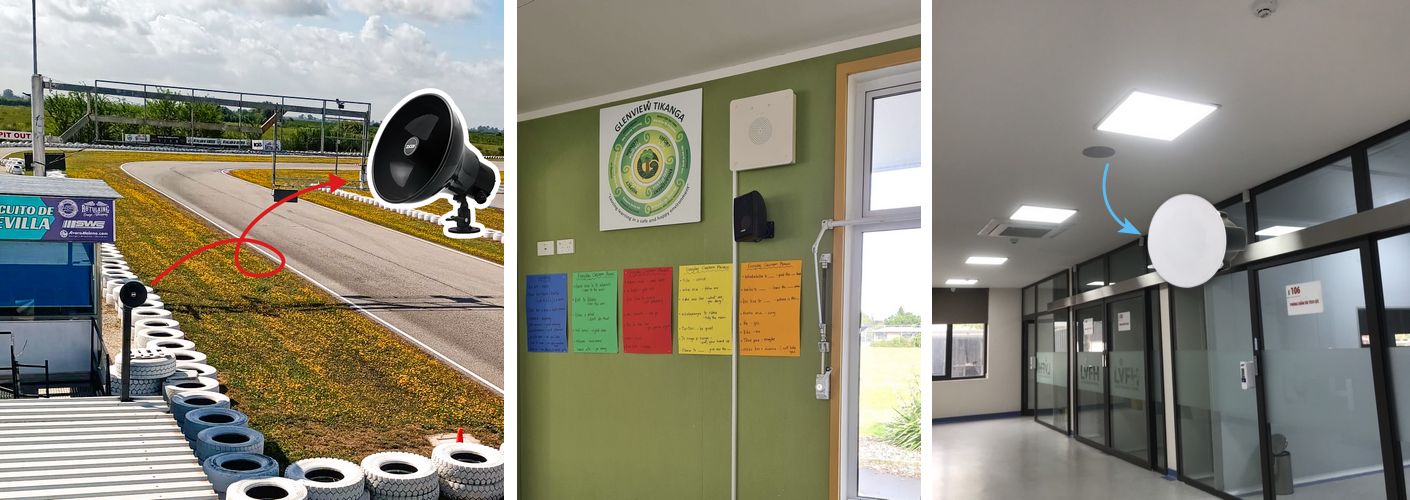
How the M100 Fits into ZYCOO's IP Audio Ecosystem
The M100 is designed to work standalone, but most deployments don't stay small forever. For facilities that start with a single console and grow into a multi-site or multi-zone managed system, the M100 integrates directly with ZYCOO's IP Audio Center — ZYCOO's core PA management platform — without replacing any hardware. The same device that runs serverless multicast paging on day one can be pointed at an IP Audio Center as the deployment scales, gaining centrally managed zone administration, routing rules, and schedule management.
Conclusion
A network microphone console is where an IP PA system becomes usable for the people who actually operate it daily. The ZYCOO M100 Network Microphone Console is built around that operational requirement — serverless zone paging, programmable fast keys, SIP intercom, scheduled broadcasts, and relay integration, all from a PoE-connected desk device. If you're evaluating the M100 for a specific deployment, the M100 datasheet and the ZYCOO IP Audio Center documentation are the right next steps.