Is a school IP paging system the right upgrade for your campus — or are you solving the wrong problem? Most schools evaluating IP paging already know their current PA has limitations. What's less clear is whether those limitations are actually a paging problem, a coordination problem, or a network infrastructure problem. The answer changes what you should deploy.
This guide will help decide whether IP paging fits your campus, where it delivers clear value, where it's commonly oversold, and how to assess the fit before committing to a system.
Why Schools Misread Their Own PA System Needs
Many schools already have a functioning PA system. Bells ring on time. Announcements are audible. From the outside, it looks like nothing is broken. This often leads to the assumption that IP paging is simply a newer version of the same thing, creating a chain of misjudgments that recurs repeatedly in school projects.
IP Paging Is Not Just a Networked PA System
Treating IP paging as an analog PA system with an Ethernet cable is the first mistake. The expected improvement may be better sound or easier wiring. In reality, IP paging changes how they are controlled, scheduled, and routed. When schools evaluate IP paging purely as an audio upgrade, the result is a technically functional system that feels like an expensive version of what the school already had.
A Campus Network Alone Does Not Guarantee Fit
The second misjudgment is assuming that having a campus network automatically makes IP paging a good fit. Most schools do have networks, but paging places different demands on infrastructure. In emergencies, paging systems must behave predictably. Permission control must be clear. Schools that skip this evaluation often discover network gaps — bandwidth contention, VLAN misconfiguration, or PoE budget shortfalls after installation.
Paging Is Not Meant to Cover All Communication Needs
The third mistake is expecting one paging system to cover every communication requirement. IP paging is not designed for classroom instruction, two-way intercom conversations, or teaching audio. When it is positioned as a universal solution, it ends up doing too much and doing it poorly. Clear role definition matters more than system capability. Role confusion at the planning stage usually surfaces as user frustration after deployment, with staff who expected the system to handle tasks it was never designed for.
How IP Paging Actually Functions in a K-12 Environment
In schools, IP paging usually sits between daily routines and safety communication. Most of the time, it handles predictable tasks that happen quietly in the background.
Daily Operations Come First, Not Emergencies
Morning announcements, class change bells, and short notices happen in schools dozens of times a day without much thought. In many schools, these routines still depend on manual triggers or aging control panels. Small changes like adjusting bell times or adding a temporary announcement zone require physical access to equipment. Over time, this creates friction between how the school operates and how the system was originally designed.
Centralized Control Changes How Staff Work
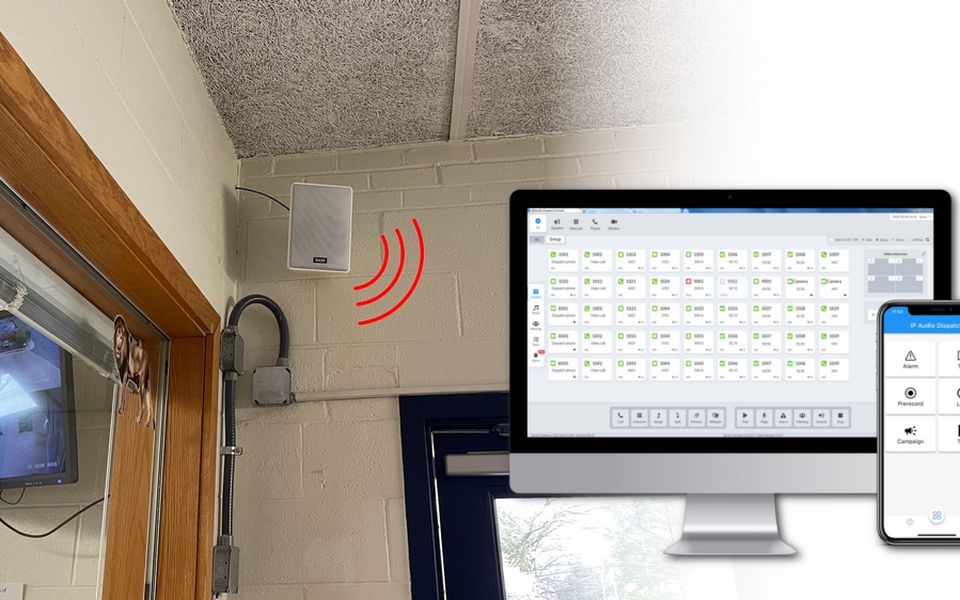
With IP paging, routine communication moves into a centralized system. Administrators can trigger announcements via software from their offices. Bell schedules can be updated when timetables change. Different buildings can follow different schedules, which matters on campuses where classrooms, gyms, and labs operate on different rhythms. Staff spend less time working around the system and more time using it as intended. For IT administrators, centralized software-based control also simplifies system audits — schedule changes, user permissions, and zone assignments are logged and visible.
Emergency Paging: Where the PA Layer Starts and Stops
During emergencies, clarity and consistency matter more than loudness. Lockdowns, evacuations, and shelter-in-place events require messages to be delivered quickly and without confusion. IP paging supports predefined messages and centralized control, reducing the risk of conflicting instructions.
Where IP Paging Delivers Clear Value in Schools
IP paging systems are most effective when traditional analog PA systems begin to lose flexibility.
Flexible Zoning for Evolving Campus Layouts
Schools rarely remain unchanged. A middle school may become a K–8 campus. Students of different grades will rotate between buildings. Spaces originally designed for a particular purpose may be reused.
With analog PA systems, changing zones often means rewiring or physically reassigning speaker lines. It works but is slow and disruptive.IP paging can define zones in software. When the use of a building changes, the paging area can be changed accordingly without affecting any physical infrastructure.
Scheduled Bell and Announcement Automation
IP paging centralizes bell schedules and routine announcements in software — meaning exceptions are handled from an admin workstation, not a physical hardware panel. Multiple schedule profiles (regular day, testing block, minimum day, event day) can be pre-built and activated as needed. For multi-building campuses where different buildings run different timetables, each zone follows its own profile independently, without requiring separate hardware for each building.
This is particularly relevant for administrators who currently manage schedule changes through a technician or a fixed control room. It removes a dependency that creates delays and single points of failure.
Multi-Point Control: Paging from Anywhere on Campus
Many schools still rely on a single PA console or control room. This creates a bottleneck during simultaneous events—such as when an athletic director needs to page the sports field while the front office is handling regular dismissal announcements.
An IP paging system breaks this physical limitation. By allowing authorized staff to initiate announcements directly from their workstations or mobile devices, schools gain multi-point control. During emergencies, this speed is critical; administrators can trigger lockdown alerts from wherever they are, rather than losing precious seconds running to a central console.
SIP Integration: Bells, Paging, and Emergency on One Network
Moving beyond operational convenience, IP paging solves the technical headache of maintaining fragmented systems. By integrating paging into the school's existing SIP-based environment (IP-PBX), bells, voice paging, and emergency notifications now share the same signaling methods and management tools.
This convergence eliminates the need for standalone, proprietary paging racks. Instead of managing three separate systems from three different vendors, the entire communication ecosystem operates on a single network backbone.
IP Paging for Renovation Projects: Network Over New Wire
Older or renovated buildings often lack usable speaker cabling but already have network drops for computers and wireless access points. Running new speaker wire through finished ceilings adds cost and disruption.
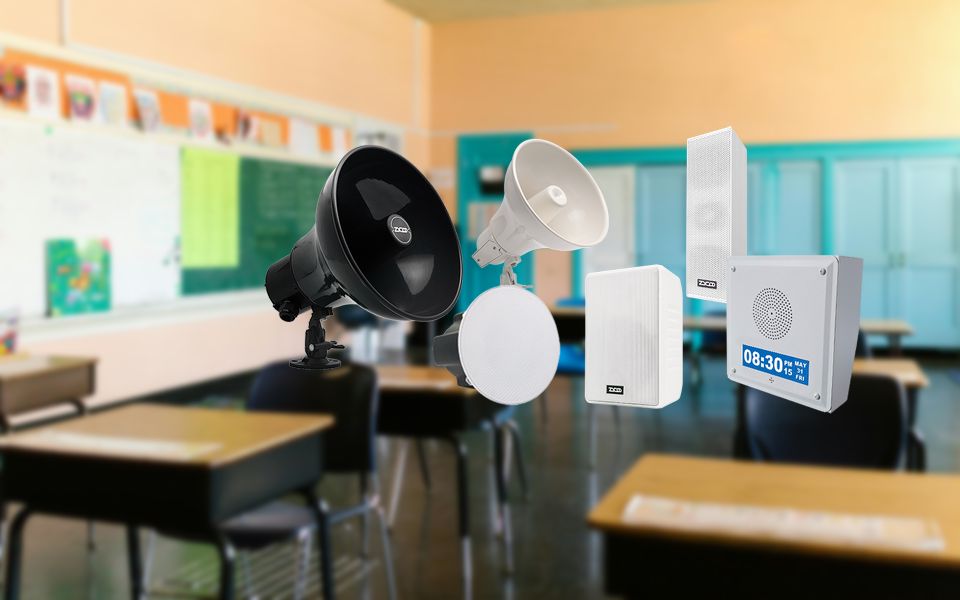
In these cases, deploying IP speakers over existing network infrastructure can reduce installation effort and scale more predictably as campuses expand.
Zone-Specific Emergency Messaging: Precision Without Alarm
Not every incident requires a campus-wide message. Some situations are limited to specific buildings or areas.
IP paging allows different messages to be sent to different zones at the same time. One building may enter lockdown while the rest of the campus receives context without unnecessary alarm. Analog systems can support zoning, but usually with less granularity and more operational complexity under pressure.
Where Analog Paging Still Holds Up
Small Schools with Stable, Simple Layouts
In a school with one main building, a fixed schedule, and simple announcement needs, a well-maintained analog PA system may still work fine. IP paging's operational advantages, software-defined zones, multi-point control, and remote scheduling only justify the investment when the campus is complex enough to need them. If your current system's limitations are primarily about audio quality rather than operational control, IP paging may not address the actual problem.
When the Real Problem Is an Intercom Problem
Schools sometimes evaluate IP paging when the actual need is two-way communication — staff reaching classrooms, front office contacting specific rooms, and security checking individual zones. IP paging is one-directional by design; two-way communication requires a separate IP intercom layer. If the evaluation driver is two-way communication, start with an intercom assessment, not a paging one. See our IP-Based School Intercom Communication guide for the full treatment.
When the System Isn't Actually Failing
If parts are still available for the amplifier, zones haven't needed to change in years, and nobody's fighting a control-room bottleneck, there's no operational pressure driving the switch. Replacing a working system on trend alone rarely produces a return that matches the investment.
When the Complaint Is Acoustic, Not Operational
Sometimes what looks like a paging problem is really a coverage problem. Muffled announcements in a gymnasium, dead spots in a cafeteria, or messages lost under HVAC noise are Speech Transmission Index (STI) issues — a function of speaker placement, SPL headroom, and room acoustics, not of what's controlling the system. Moving the same conditions onto an IP platform without addressing placement or output carries the acoustic problem forward unchanged. If intelligibility is the complaint, start with a coverage assessment, not a control-system replacement.
A Middle Path Before Committing Either Way
None of this means the only options are staying analog or replacing everything. If the specific pain point is one failing amplifier, or the goal is SIP paging from existing phones without a full rebuild, an IP paging gateway can bridge an existing analog zone into an IP-managed system without touching the speakers or wiring. It's worth ruling out this middle path before assuming a full system evaluation is necessary. See ZYCOO's How to Upgrade Analog PA to IP: A Planning Guide for the three available upgrade paths and a step-by-step process.
A Decision Framework: Is IP Paging the Right Fit for Your Campus?
Use these three questions as a structured starting point. They don't guarantee a final answer — every campus has constraints that modify the calculus — but they identify the conditions where IP paging consistently delivers value.
1. Is the campus complex enough to need software-defined control?
Multi-building layouts, overlapping schedules, and distributed staff access are the conditions IP paging is built for. A single-building school with a fixed schedule and one announcement point is unlikely to see proportional return on the investment.
2. Is the primary problem operational or acoustic?
IP paging improves control, scheduling, and zone routing — not audio output. If the main complaint is sound quality or coverage gaps, the solution may be acoustic or hardware-level rather than a system architecture change.
3. Has network readiness been confirmed?
PoE capacity, VLAN configuration, and QoS policy all need to be verified before equipment is specified. A "yes" to IP paging without a prior network audit carries real deployment risk.
If the answers point toward IP paging, the next step is system design. See our IP PA System for Schools Deployment Guide for zone architecture, infrastructure planning, and endpoint selection.
4. Does a compliance mandate override the cost/complexity calculus?
State laws like Alyssa's Law increasingly require a silent panic alert system linked directly to law enforcement — a capability most analog PA systems can't support without an added layer. In states where this applies, compliance alone can justify an IP-capable emergency layer even on a campus that wouldn't otherwise need one on operational grounds.See ZYCOO's Alyssa's Law Compliance guide for state-by-state requirements.
For schools planning upgrades or new deployments, understanding these boundaries early prevents the most common and costly post-installation mistakes. If your evaluation points toward IP paging, contact ZYCOO to discuss infrastructure requirements, zone planning, and deployment options based on your specific campus layout.